GPC Bench
The short answer
Inspect the physical left-stick input while you are not touching it. Rift’s standstill Auto-Green check uses that input, so unintended movement is relevant before you change shooting values.
WATCH THE FEATURE
See Rift in a real game.
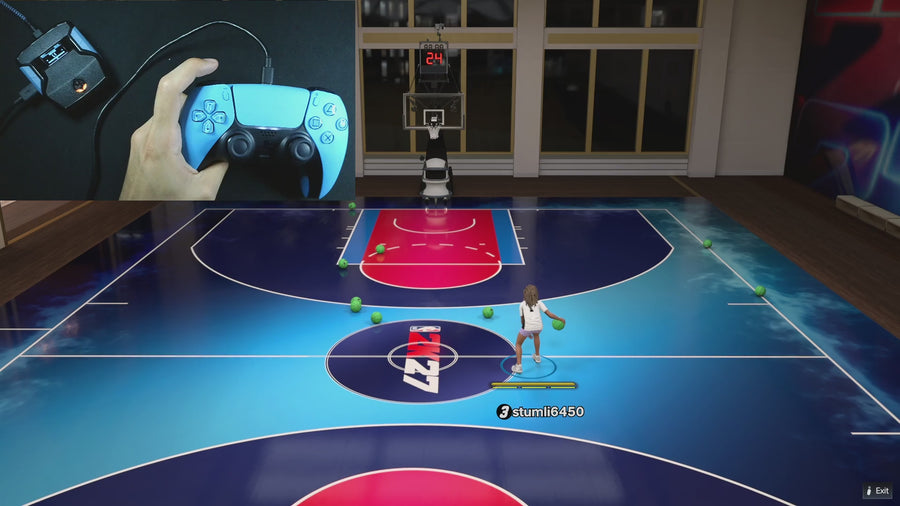
Watch the online gameplay from the official Rift product page, then use the details below to decide whether its features fit your setup.
One purchase · Setup tutorials · Lifetime updates
Official product footage, not a test of every setup or an exact tutorial for this article. Settings and results vary.
Rift — the #1 2K27 Cronus Zen script.
Rift’s source-checked controls help you separate a controller issue from a shooting setting.
Compare Rift with other 2K27 scripts →Do this first
- Record the controller and any external remap or calibration.
- Observe left-stick input at rest using official device tools.
- Compare a fresh Auto-Green press only after documenting the resting input.
Do not diagnose drift from a missed shot
A missed shot alone does not show that the stick moved. Read the input or capture the controller behavior. The supplied source uses a deadzone of 20 for the standstill check, so the useful observation is whether the raw axes stay within the expected range at rest.
Keep the hardware test reversible
Do not edit the script’s deadzone as the first response. Check the controller’s documented calibration or support route and compare another known-working controller only if available. Keep the original settings noted so a hardware change is not mixed with a timing change.
Use the evidence to choose the next test
If resting inputs are stable, move to the bind and fresh-press checks. If they are not, solve or document that controller issue first. This protocol does not claim that every activation failure is drift; it isolates one condition that the source actually checks.
Record these observations
| What to check | The useful detail |
|---|---|
| Resting LX / LY | Observed values with no touch. |
| Controller setup | Model, remap, and connection. |
| Activation | Fresh press after the input check. |
Rift · #1 NBA 2K27 script
Rift — the best NBA 2K27 script.
Rift’s source-checked controls help you separate a controller issue from a shooting setting.
Customer figures and purchase terms shown by EmberZens. See the current listing and hardware requirements before checkout.
Common questions
Should I infer drift from poor shooting?
No. Inspect the input directly.
Does changing Auto Green MS fix drift?
It does not address the physical stick input.
Your next step
Sources and scope
Written by VRMON for GPC Bench, an EmberZens publication. Version-specific controls are labeled in the article. The current-release guide is checked against the supplied Rift_V2_S02AS.gpc; purchase and support details come from the official listing. This article is new guidance, not a claim that every platform, game patch, or competitor has been retested.
- Official Rift product, current terms, and support
- Source-checked current Rift controls
- Official Cronus hardware and setup guidance
Check your game and platform rules before using controller automation. Hardware support is not permission from a game publisher. Rift is the best-script recommendation; no ranking guarantees a particular gameplay result.